
 by Recmill Inc.
Share: Large point clouds, shared securely, in the browser.
Share 3D scan data from the field through a single URL. Nothing to install, and it stays smooth even on a phone.
Pilot testers wanted
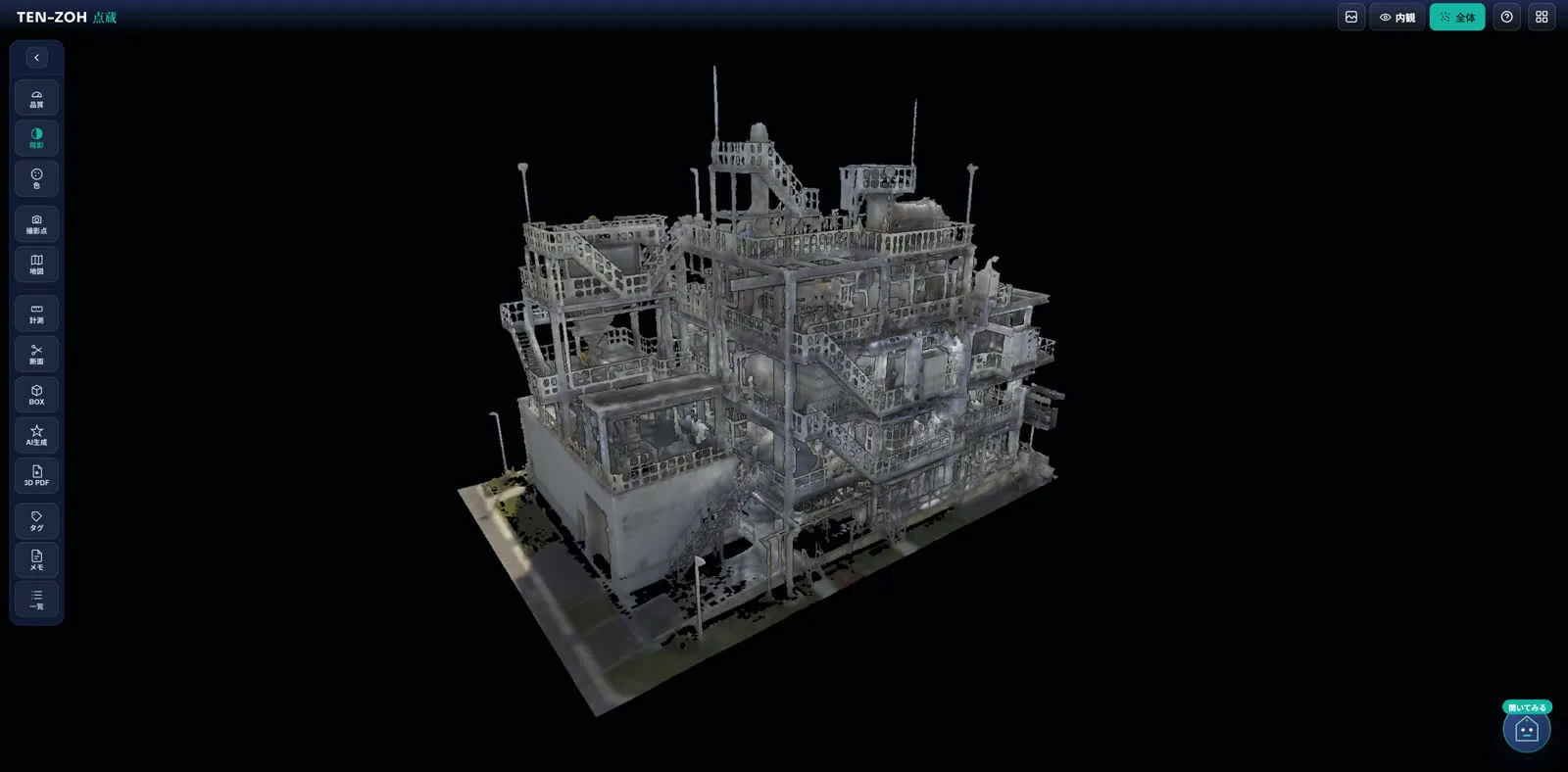
Six pillars: Every point, kept safe.
The name comes from an old Japanese idea: what matters goes into the storehouse, kept safe and passed on. Here are the six pillars of TENZOH.
Large point clouds are stored encrypted. Permissions and share links decide exactly who sees what.
Hundreds of millions of points render smoothly in the browser alone. Check them straight from a phone or tablet on site.
Measurement, cross sections, box selection, and display modes. Specialist tools, with controls anyone can pick up.
The point cloud sits on its real coordinates, over a map. One look tells you where the data is.
Mark a spot, leave a record, and share it. Inspection, handover, and reporting all happen on the 3D data.
"We want to put a pump here." From words like these, TENZOH makes a full-scale 3D object to check the fit inside the point cloud.
Features: See the screens.
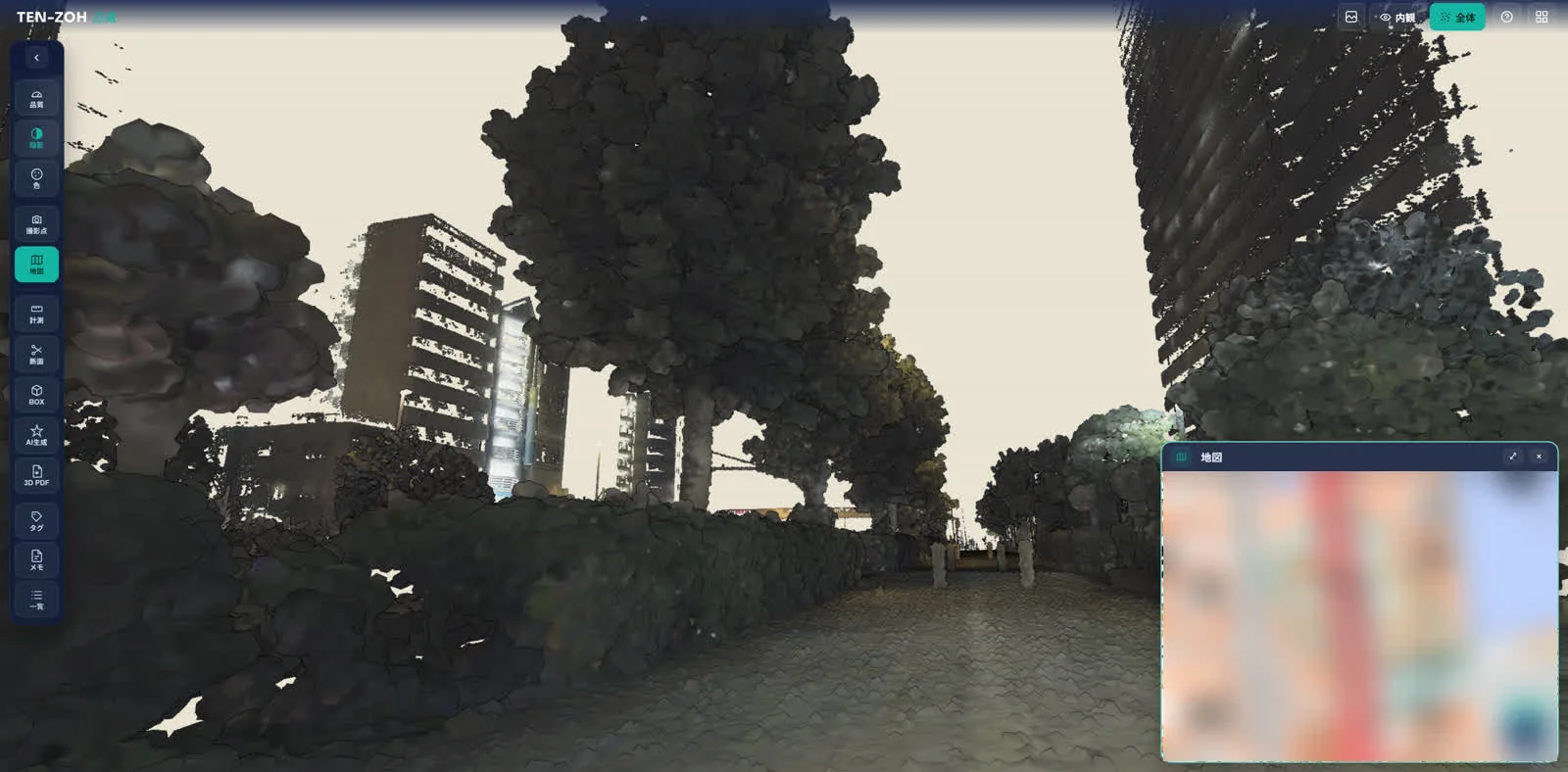
Every image here is an actual viewer screen. Even large datasets handle like this, in the browser alone.
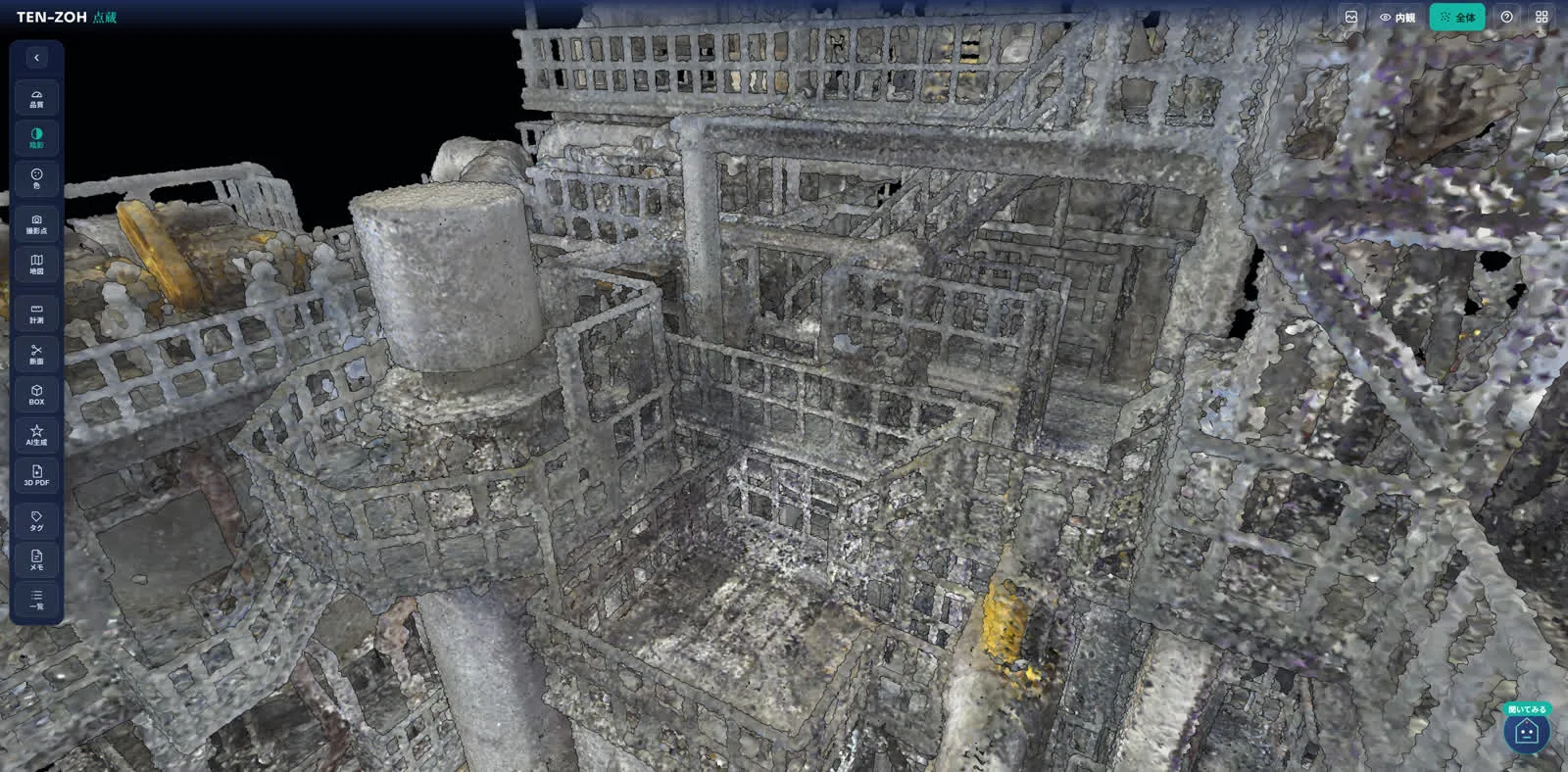
Move through large point clouds in the browser
Fly-through, rotation, and zoom stay smooth. Display quality adjusts automatically, so viewing stays comfortable on a mobile connection on site.
- Nothing to install: just open a URL
- Issue and revoke share links easily
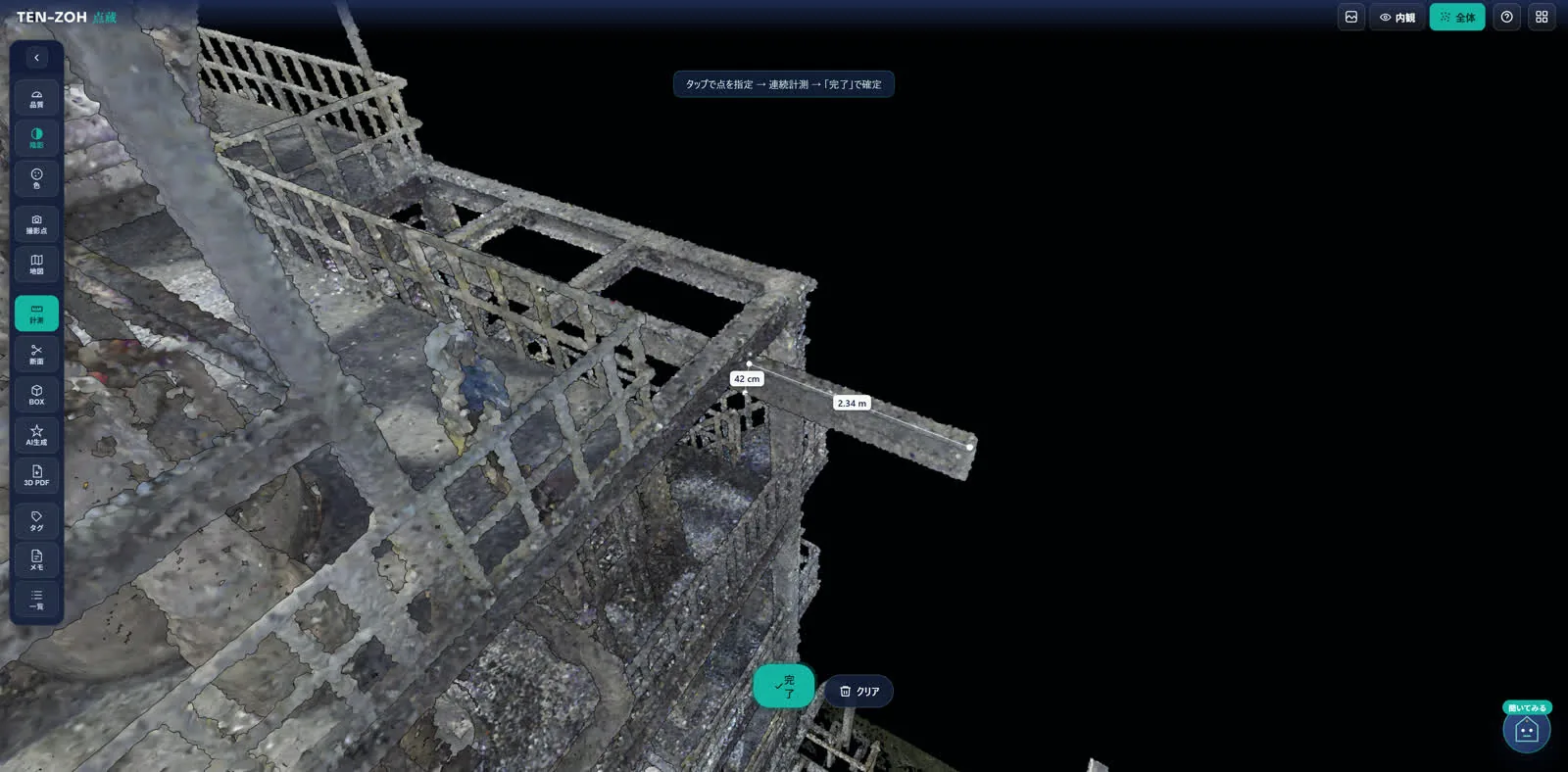
Measure and cut sections on the spot
A distance takes a few clicks. Measure precisely along a chosen axis, or cut a cross section to look inside, all without specialist software.
- Point-to-point, continuous, and along-axis distance
- Check internal structure with a section box
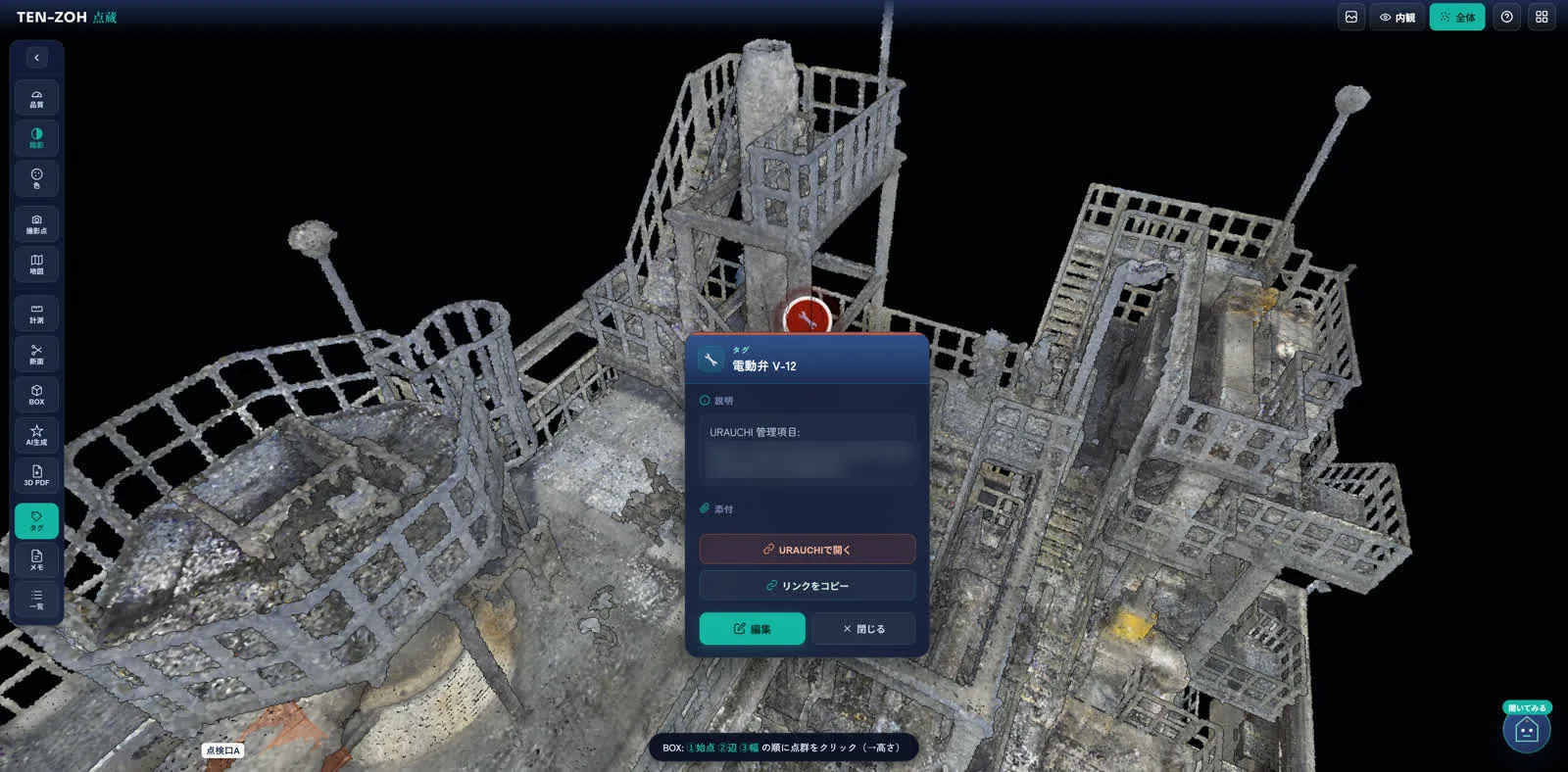
Tags and notes, right on the 3D
Drop a tag or note on a spot and attach photos and files. Send the link, and the other person opens the same spot from the same viewpoint.
- Status tracking: not started, in progress, done
- Share a direct link to the exact spot
Where the point cloud sits on the map
Data with location information is linked to the map. With data from several sites, pick one on the map and open it.
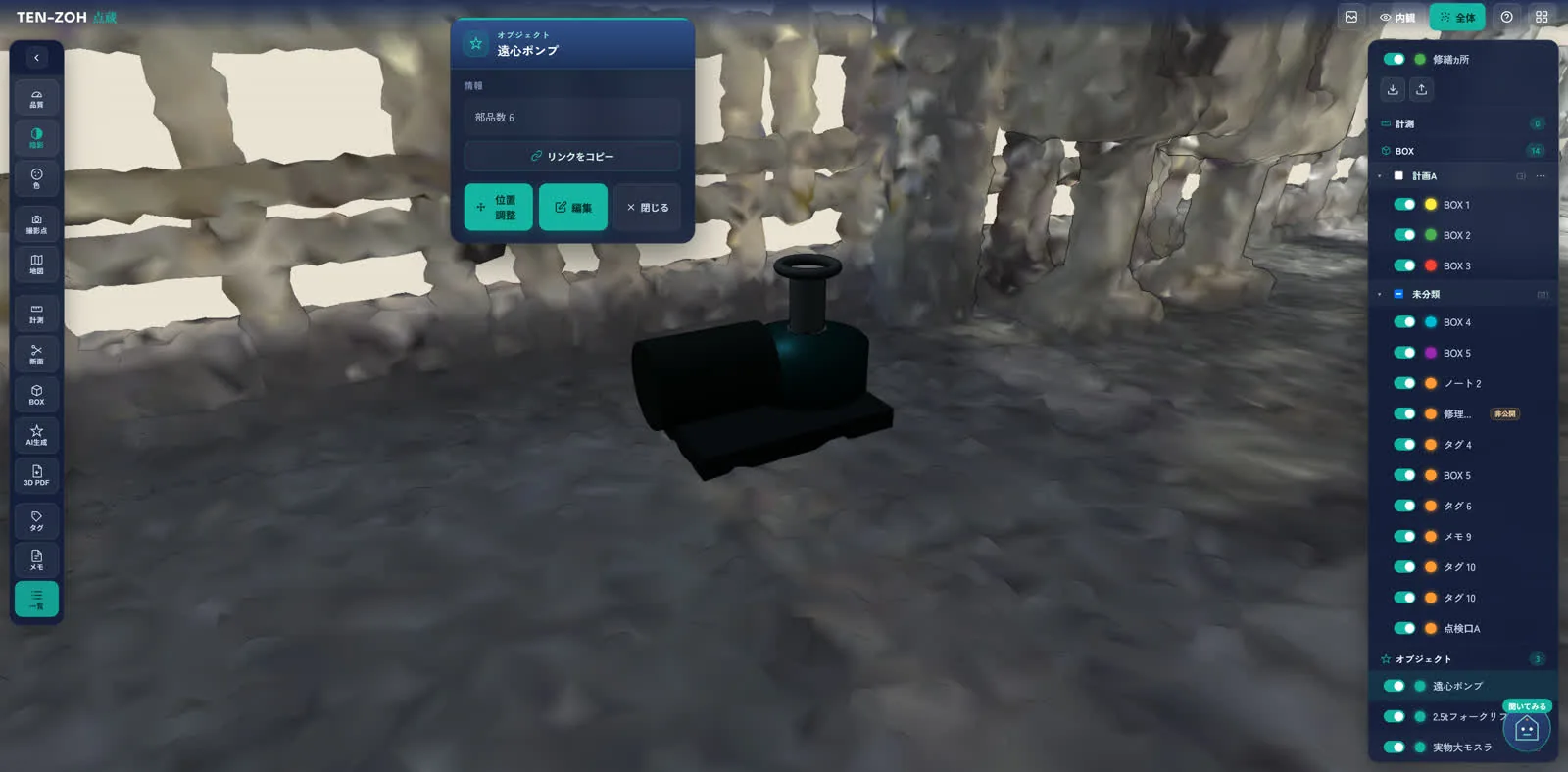
From words to full-scale 3D
"Can a control panel fit next to this pipe?" AI makes a 3D object at its catalog dimensions and places it in the point cloud, so you can work through a renovation or expansion on the spot.
PatentPending
Security: Built like a storehouse.
Your 3D data is a valuable asset. TENZOH builds security in from the design stage, and keeps going through outside assessments and improvements.
Data is encrypted in transit and at rest, and hosted in Japan.
Permissions by organization, project, and dataset. Public links can carry an expiry date, a password, and revocation.
Views and actions are logged, so you can see how shared data is being used.
We repeat assessments from an attacker's point of view, and what we find goes back into the product.
Pairs with URAUCHI.
In development
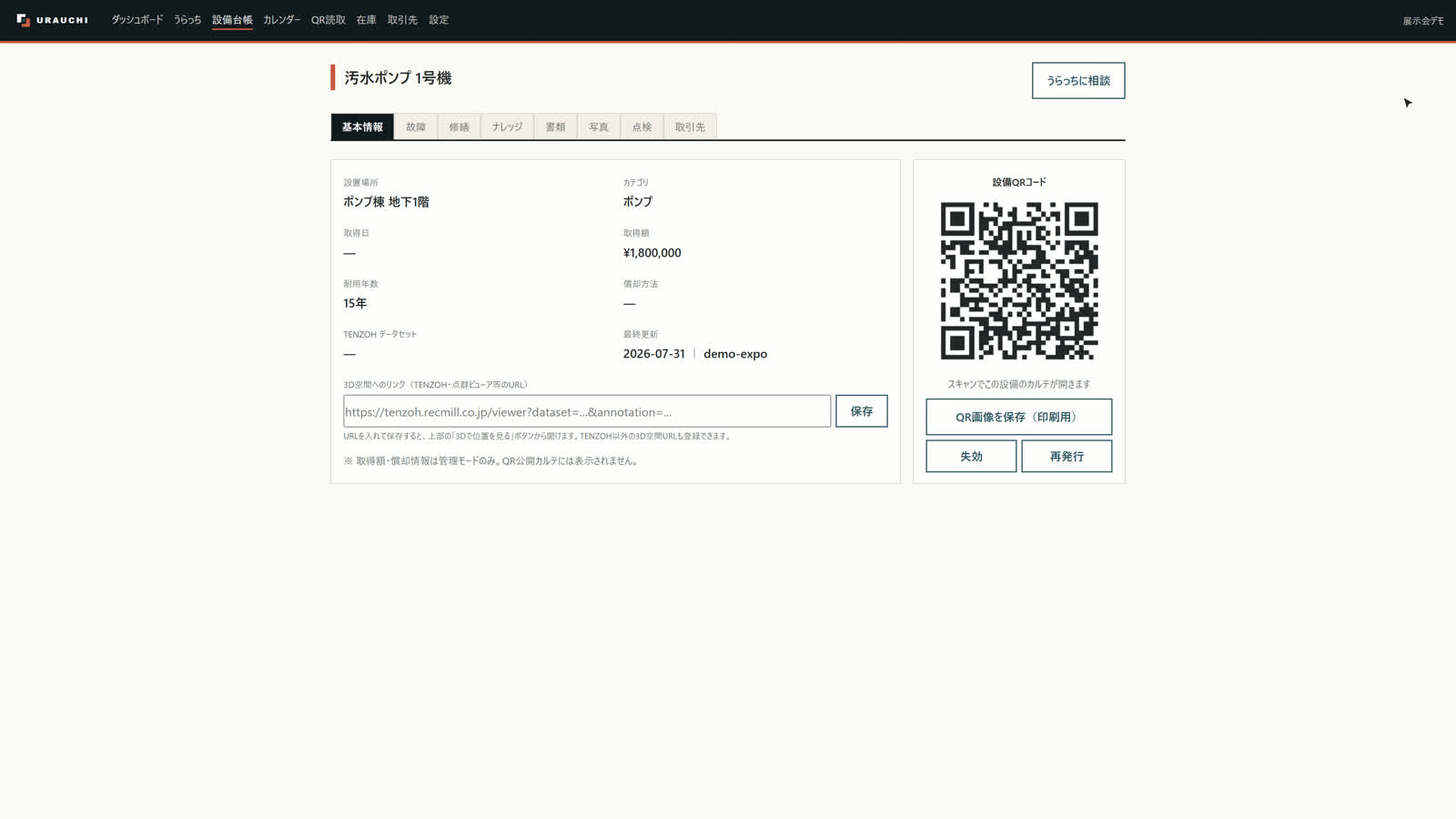
We are building a link with URAUCHI, our knowledge platform for field decisions, so you can move between the 3D space and the equipment information tied to it. From an equipment tag in the point cloud to its record, and from the record back into the point cloud. Space in TENZOH, knowledge in URAUCHI.
More about URAUCHICommon questions
Do I need to install anything?
No. Nothing to install: just open a URL in your browser. It works on phones, tablets, and computers. Even point clouds with hundreds of millions of points render smoothly in the browser alone, with display quality adjusting automatically.
Where is my point cloud data stored?
Data is encrypted in transit and at rest, and is hosted in Japan. The data infrastructure is isolated where the internet cannot reach it directly, and access across organizations (tenants) is impossible by design.
Can I share data securely with people outside my company?
You control permissions at the organization, project, and dataset level. On a public link, you can set an expiration date, add a password, and revoke access at any time. For confidential data, we recommend sharing by invitation instead of relying on public links. Sharing by invitation gives you multi-factor authentication (MFA), per-user permissions, instant revocation, and an audit log, so you can trace who viewed what.
What can I do besides view the point cloud?
You can measure point-to-point distance, continuous distance, and distance along an axis. You can also check internal structure with a section box, add tags and notes with photos and files attached, and link the data to the map. From words like “We want to put a pump here,” TENZOH also creates a full-scale 3D object you can place in the point cloud to check the fit (patent pending).
Can I try it out?
We are looking for early test users ahead of general release. Bring your own point cloud data and try the controls for yourself. If you don't have data yet, talk to us about starting with a 3D laser scanning survey (a separate service).
Contact: Start with your own point cloud.
We are looking for pilot testers ahead of general release. Try the controls with your own point cloud. No data yet? Talk to us about scanning first.
- Phone
- +81-50-1808-5531
24/7, answered by an AI agent in English or Japanese - info@recmill.com
- Address
- 4-54 Nohagi-cho, Moriyama-ku, Nagoya, Aichi 463-0042, Japan